Friday, 31 August 2012

Revit Basics - Revision Management

I have been asked this question few times in last couple of months so I thought I document it here.

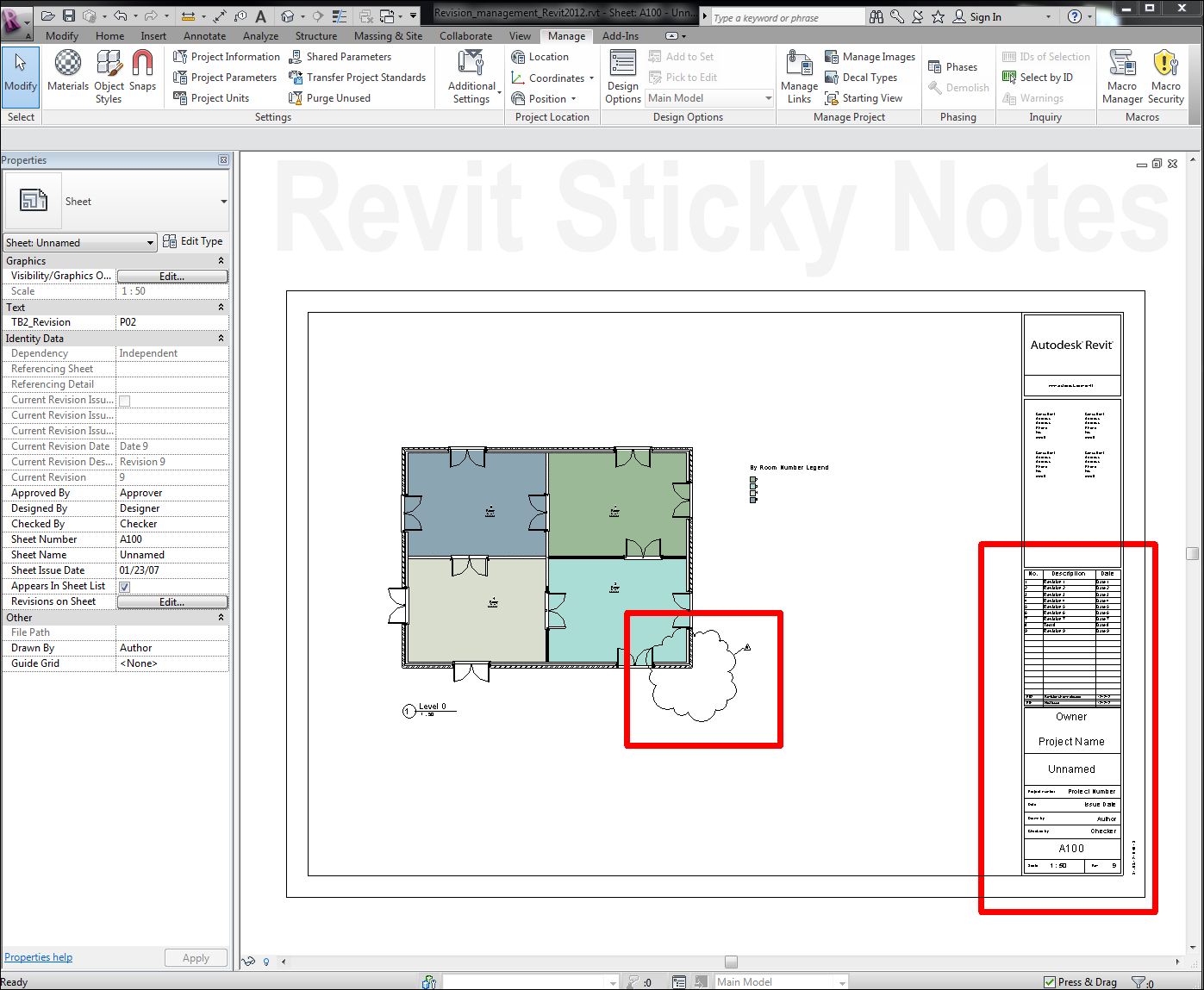
There are different ways, as for everything, to manage sheet revisions in Revit. Following videos will show you commonly used three different methods.


AUTOMATIC - Sheet Revisions

This method is normally useful when you are issuing your sheet first time with no revision cloud OR any revision without revision cloud.


AUTOMATIC - Cloud Revisions

This method is normally useful when you are issuing your sheet with revision clouds.


MANUAL

This method is similar to ACAD 2D/traditional revisioning where everything is manual. I have used this method particularly on the UK projects where revision system is alphanumeric, i.e. P01, P02,T01,T02,C01,C02 etc.. This is the easiest method of all and gives you full freedom (to fudge!!).


Choose the one you that works for you!

**DOWNLOAD PROJECT FILE - Revit 2012**

Thursday, 30 August 2012

Elevators On The Fly

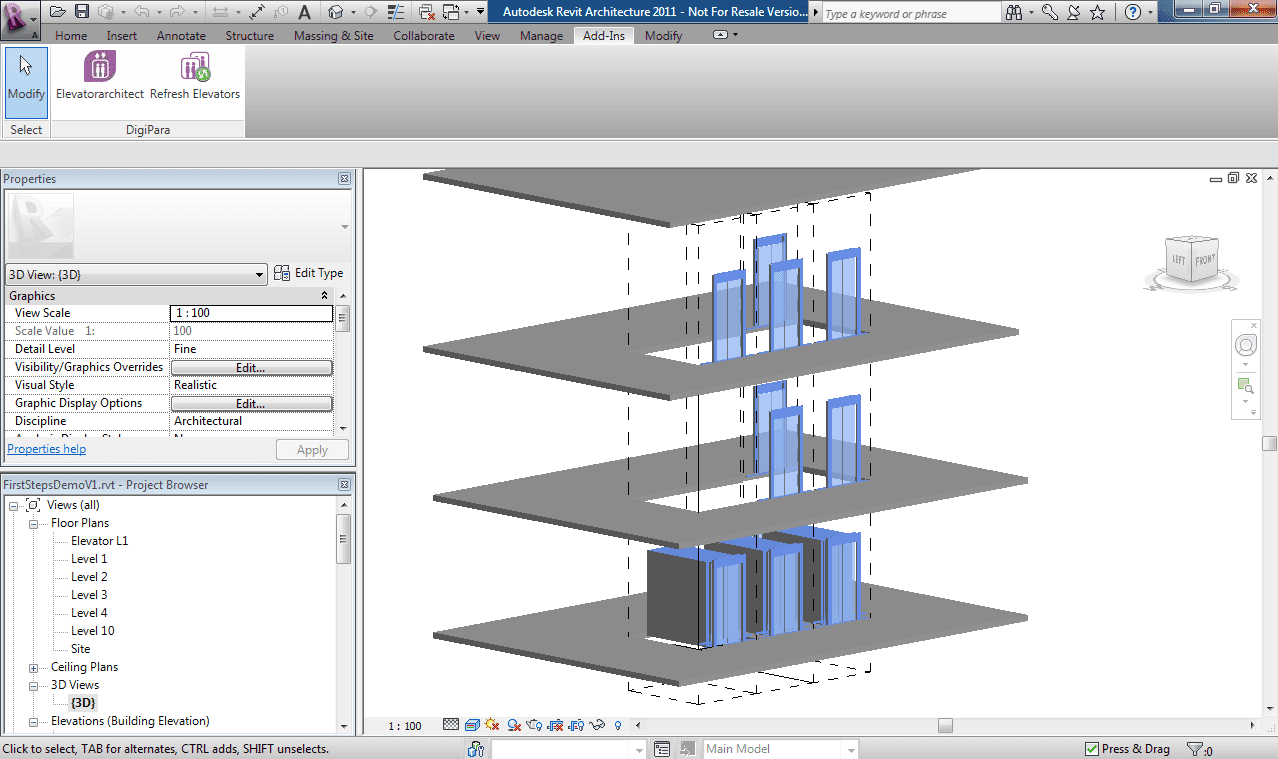
DigiPara has just launched a free BIM exchange app for Autodesk Revit.

"DigiPara Liftdesigner software can now save 3D elevator models into the LD BIM file format. It then loads the complete 3D elevator Building Information Modeling (BIM) model into the 3D architecture software Autodesk® Revit®. This greatly enhances and simplifies the existing building design process for elevator companies and architects as they can now work more efficiently together."


Image courtesy DigiPara
 "...it omits the elevator company’s requirement to create, maintain and deliver any type of elevator Revit families, since the elevator company can deliver perfect customized elevator models from DigiPara Liftdesigner."

While you are on their website I suggest you take a look at their free ElevatorArchitect plugin. It's a brilliant app to get lift families on the fly. No need to create and maintain static libraries.

Image courtesy DigiPara
This makes me think about other BIM objects such as Doors, Windows, Escalators, and so on. The list could go on and on. Should manufacturers be better off by investing in static BIM library or should they be looking at automated approach such as this to gain a long term (competitive)advantage of the technology. Only the time will tell.

Wednesday, 29 August 2012

BIM Implementation & Process/Culture Change - Part 4

Continuing with this series, in previous post I (barely)touched upon the issue of "Information Modelling" and it's management and how crucial it is going to be in an ideal BIM/IPD world. It's going to be a big game changer, IMHO.
Assuming this "Information Modelling" is going to be vital in the overall BIM process, BIM objects that are going to hold this "Information",geometric as well as non-geometric, will become even more important.

As they say, what goes in comes out so if we put rubbish in BIM rubbish comes out of BIM. Simple! really? I don't think this is as simple in BIM Objects' case. Why? Because we need to define what is rubbish and what is not and educate the users so that they can differentiate between BUM and BIM!

BIM objects beg careful management throughout the process and will require some investment in training and management. Most of us will have legacy 2D symbols/blocks/cells/objects library grown over the years but
in BIM environment you will have to start from scratch and build BIM objects natively in your preferred BIM tool. As you know this is a massive task and a big investment for most, this becomes one of the key challenges when dealing with BIM implementation. I remember in early days of my engagement in BIM projects, BIM objects were (and still they are to a degree) a deal breaker when it came to RLDs and C-Sheets. The other related issue with BIM Objects is IP involved and giving it away with your model. I am not sure how valid this IP concern is but it is one of the concerns when Implementing BIM.

Fortunately, to deal with some of the BIM Object challenges industry organisations such as NBS is working on National BIM Library to get us started with some quality BIM objects. If you haven't visited National BIM Library web portal then I highly recommend you have a look at it. NBL is actively working with local manufacturers and adding content on a regular basis.

So How do BIM objects differ from traditional 2D objects? In layman's words one 3D BIM object is equivalent to producing six 2D projections of an object and stitching them in a 3D space plus attributes/properties attached to them plus adding parametrisation. Also, as you know BIM is fully object oriented environment you will have to think about objects such as walls, floors, ceiling, roofs etc and their build up whereas in traditional workflow you don't have to worry about wall build up, for instance, when producing GAs.

Bottom line is lot of things need to be considered when dealing with BIM objects and all of these need to be agreed right from the outset of the project and captured in BIM Execution Plan under LOD, Level Of Detail OR Level of Development call it whatever you like! This is very important because this is where you define what is not considered to be rubbish, meaning at stage D, for instance, architects are expected to have walls model at LOD 300 and define what LOD 300 is and its authorised use etc. Now when you receive architect's model and check walls you will know whether its BUM or BIM. This is only possible if you define BIM objects' LOD, authorised use, and responsibility etc. in the first place.


BIM Objects Management is a crucial part of BIM project management and will affect traditional process and culture in terms of project management. New processes will need to be developed and integrated within the culture to deal with this additional layer of project management. From process point of view, the biggest impact will be on project technical design leads who will be required to filter what goes in BIM together with 'BIM technology' savvy user.

Friday, 3 August 2012

BIM (PIM) Data and Security

With all the excitement (yes, I am excited about this) and curiosity around BIM (PIM for that matter) in the cloud, how safe our BIM data is going to be? The latest player in the "race for BIM in the cloud" is Newforma with M-SIX. Recently, Gehry Technologies announced acquisition of Bimshare, to offer (BIM) data sharing solution that provides the easiest way to upload and share 3D models online through browsers on desktop or mobile devices. Autodesk has also launched BIM360 and acquired Vela Systems recently. In addition to these big players, we have Artra, FM:BIM, and other players we may not be aware of.

With this major push/rush towards data in the cloud, have you ever thought about how safe your BIM data is going to be? With an increase in "state sponsored espionage" this is even more serious than we think, especially when we don't know in which country our data resides.


Martyn Day of DEVELOP3D looks at the issue of viruses that steal Design IP.

"...This month we had ‘news’ from ESET security software developers that it had found a virus specifically written for AutoCAD that had infected computers in Peru and emailed thousands of DWG files of the design back to web servers in China..."

Read full article HERE.


Thursday, 2 August 2012

Revit Basics - Show Hidden Line Tool

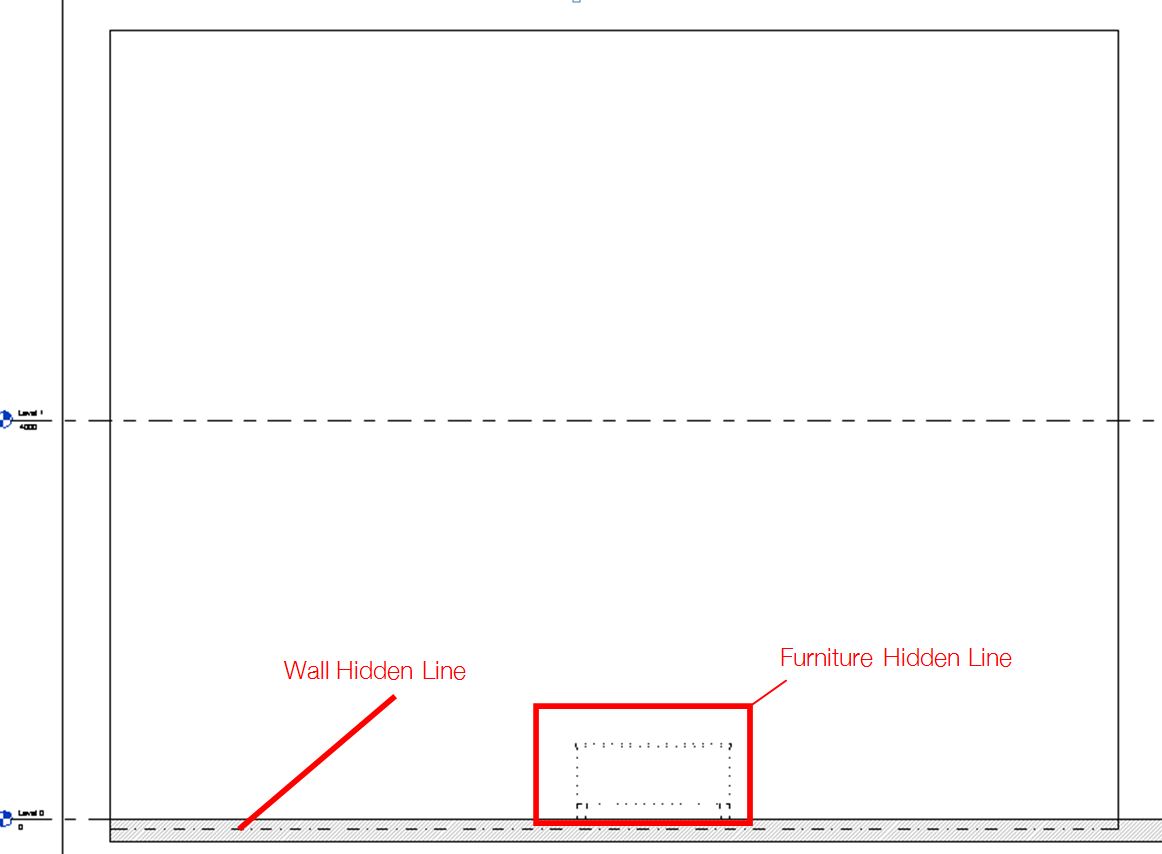
See a brief video tutorial below to show hidden objects in hidden lines (or any linestyle you like) without tracing objects behind foreground objects?
This is where "Hidden Line" hardcoded sub category (in Object Style) can be used to control the visibility of linestyle when objects are shown using "Show Hidden Line" tool. Very handy tool for elevations and sections (and plans sometimes).


Tuesday, 31 July 2012

BIM Implementation & Process/Culture Change - Part 3

In previous post of this series I looked at vector based design/documentation vs object oriented design/documentation and how fundamentally different these two processes are. Now lets take a look at one of the main (and the most important) changes we are supposed to deal with in object oriented design/documentation. To me, and almost everyone involved, it's the holy grail of BIM. Yes, you guessed it correctly. It's the "I" in BIM.

For most of us, "I" in BIM is the deal breaker so I am not surprised to hear one of the major contractors saying "we receive lot of BUMs", Bloody Useless Models. Why? Because they are just getting 3D models and not Information Models.
In our recent meeting at NBS BIM library we spent great amount of time brainstorming on how to get "I" in our BIM models at different stages of the project by different parties. The UK government/RIBA/CPIC and other related organisations are working on a protocol/procedure to define BIM data drops at various stages of a project.

So, where is this conversation leading to? Well, as most of you know, towards COBie! In coming few years we should have better clarity on COBie and roles and responsibilities of each stake holders. In the mean time we need to be ready for "Information Modelling" and changes it brings to our current process/culture.

INFORMATION MODELLING MANAGEMENT

In object oriented design/documentation process everything is object driven and each object has (Information)properties attached to it, Local and Global properties. Ok, we do have properties in 2D vector based design/documentation but mainly graphics properties, i.e. layer/linestyle/color/Coordinates/Length etc. I know we can add attributes to 2D objects in vector based process but how do we manage Local vs Global properties, how do we get "Information Schedule" to drive 2D graphics etc.? The list could go on and on. The bottom line is Information Modelling is practically impossible in vector based process, the main reason why we need object oriented process such as BIM.

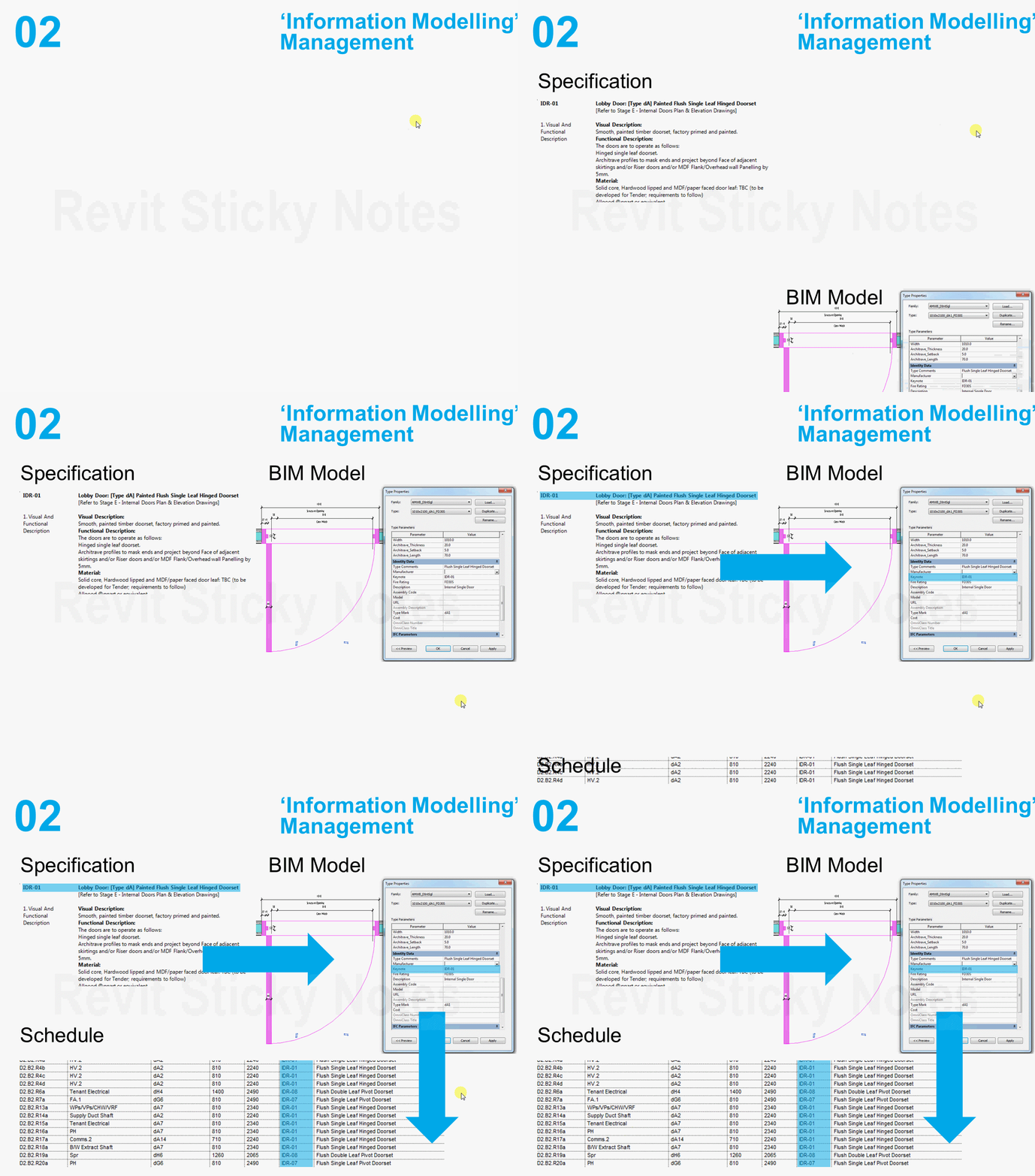
In the example shown below, on left hand side we have a specification for a door and on right hand side we have a door object with the specification linked to it's global property. This specification property is available in schedule too, instantly. This is just one of the many "Information" properties expected in objects in true BIM world. Think about Design, Construction, Operation, and Building Information (DCOBie) that need to go with every BIM object. With this comes a requirement for "Information Modelling" management. We need to manage information flow quite carefully if we want to convert BUM into BIM. If you are interested to know more about object's properties I highly recommend looking at COBie spreadsheet.


So, do you think we are ready to deal with Information Modelling? do you think our infrastructure is ready to deal with Information inundation? do you think legal framework is out there to deal with Information Modelling? Answer to all of these questions might be "NO" at this moment in time, who knows. But one thing is definite, BIM is about Information Modelling and is going to call for a massive change in process/culture. We need to start working on this challenge now and be prepared before Information flow starts.
 

Thursday, 19 July 2012

LRUG - BIM Execution Plan

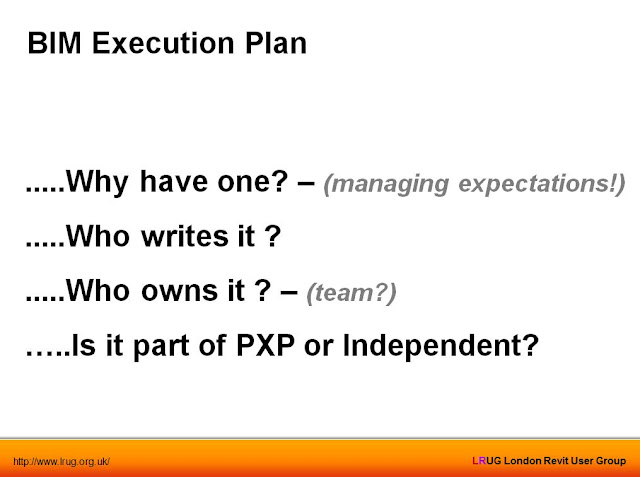
Last night we at LRUG were fortunate enough to have a very insightful debate/discussion around BXP. I was privileged to lead the debate with my co-presenter Ray Purvis of Atkins.

Alan Wooldridge is going to upload video recordings of both sessions, Underground Drainage by Carl Collins of ARUP (another not to miss session) & BXP, at the early possiblity. Be sure to check out LRUG in next few of days. In the mean time click on the following image to download BXP presentation. Any comments would be much appreciated.