Thursday, 3 October 2013

Tekla IFC Export

As I am getting more and more involved with construction side of BIM, I come across many interoperability issues particularly while working with our subcontractor supply chain.

Recently our site team received an IFC file from our steel subcontractor (generated using Tekla) and when we opened that file in TeklaBIMsight and Navisworks Manage we noticed that there were quite a few elements missing. How did we find out? Well, the issuer had also issued 3D DWG export from Tekla as well so when we looked at the both files side by side it was obvious that many elements were missing in IFC. See image below, left side IFC and right side DWG.


This baffeled me a bit because I know Tekla can export clean IFC files. So I contacted the "author" of the model and asked him to try different IFC export settings. They tried few different things and exported IFC again but no luck and gave up thinking it is a software issue.

Luckily our friends at Tekla were quick enough to get on the case and helped the "author" export with right settings. One thing which was quite impressive was that the whole "Tekla support" process took only couple hours between us contacting them and the "author" sending them the file and tekla checking the file and advising with detailed explanation and screenshot. I include their support response in their own words here. Well done team Tekla and thanks David E.

"Thanks for the model.

I’ve done a quick check on the model.

Each member in a Tekla model has an IFC export setting in the User defined attributes tab.(see image below)

The ‘IFC Entity’ is currently set to ‘none’ for the majority of Plate girders and beams in your model.

This needs to be set to ‘Auto’.

This will then export correctly to the IFC and be visible in TEKLA BIMsight / Solibri model viewer etc"


The "author" then tried this setting and it worked!!! They sent us their new IFC export and it was spot on. It was such a simple setting which was causing this issue. I wonder why Tekla has export settings to "None" by default instead of "Auto".

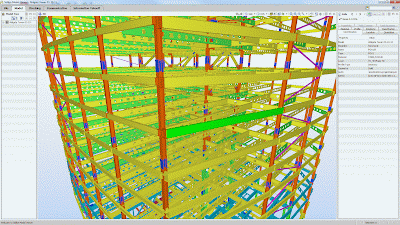
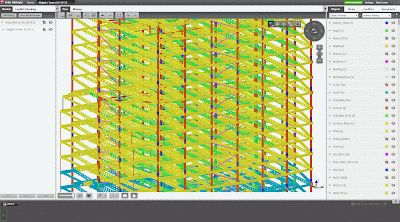
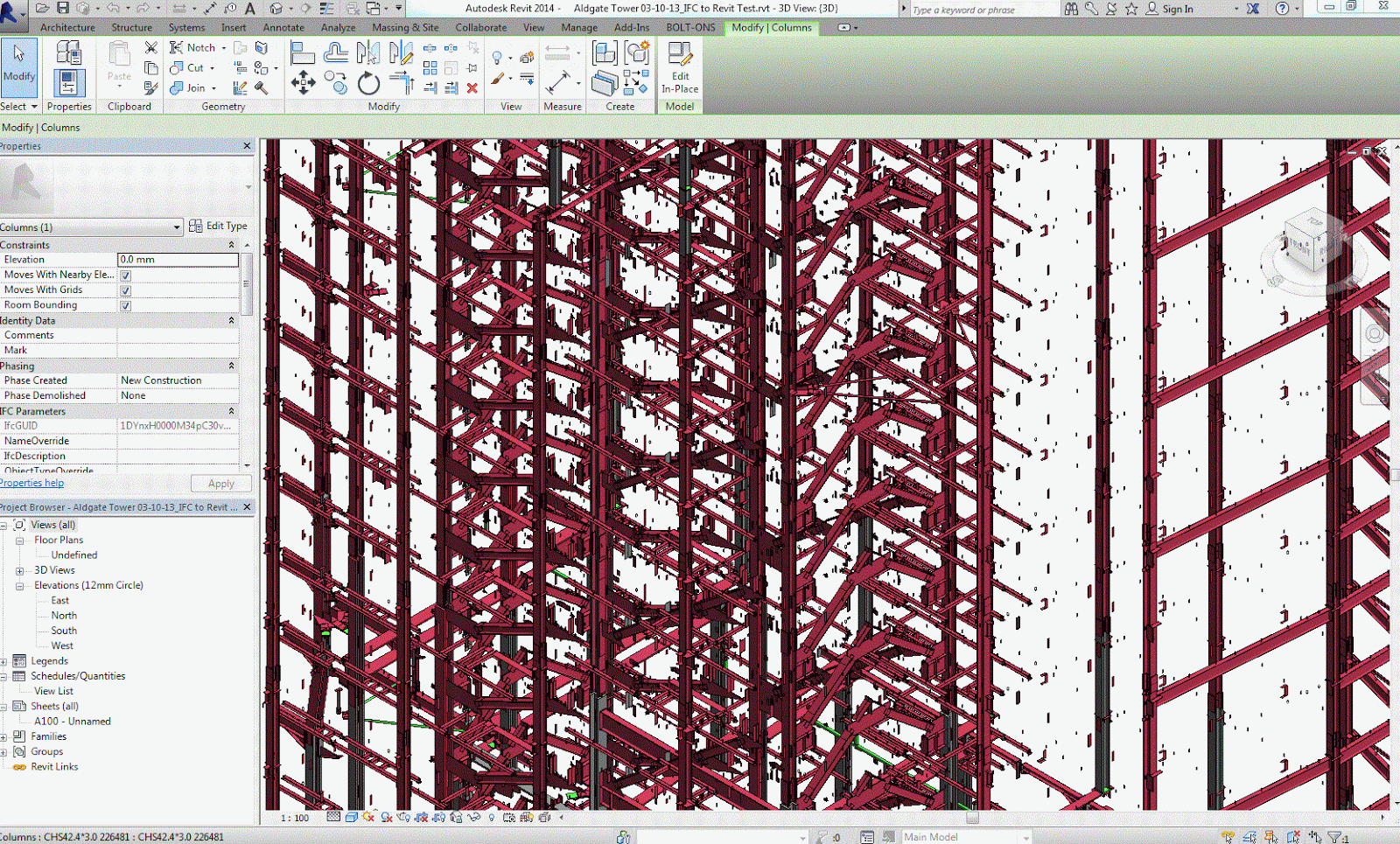
The images below shows my experiment of opening the same IFC file in Tekla BIMsight, Solibri Model Viewer, Navisworks Manage (and Revit just out of curiosity). What do you think which one is better??
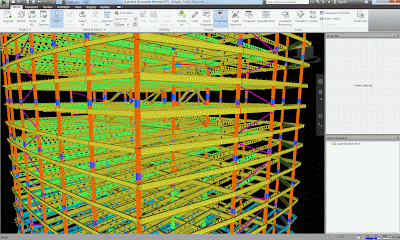
Navisworks Manage
Solibri Model Viewer
Tekla BIMsight
Revit 2014


Friday, 2 August 2013

QC Check BIM Models - Part 3

In the previous blog post of this series Part-2 I discussed software specific QC checks. Now let's look at design specific QC check.

Disclaimer:

  • "Design QC check" BIM models is referred as a process of checking your "Design BIM" models for compliance with BIM Execution Plan and official design documentation
  • "Design QC check" BIM models should not be confused with checking your BIM models for technical design issues or coordination issues or building regs check etc.
 After spending some time discussing this matter with some designers and senior team leaders, I have come up with the following list that should be part of your BIM QA/QC process every time you issue your models for coordination.

Who performs this task?  Ideally, this task should be performed by the same person who is checking and approving drawings or equivalent (with the help of a BIM Modeller if required).

DESIGN SPECIFIC QC CHECKS

The following is a list of minimum items (in no particular order) that should be checked when issuing your BIM Model(s) for coordination.

  • Model contains agreed elements as per the model elements matrix set out in BIM Execution Plan 
  • Model elements contain right INFORMATION (i.e. Mark, Type Mark, Fire Rating, Description etc.) for that particular stage of the project [suggest you setup QC Check schedule for this]
  • Model elements reflect agreed LOD (3D geometry) for that particular stage of the project
  • Build-up of system families such as wall, floor, roof, ceiling etc
  • Materials used within system families (i.e. wall, floor, ceiling, roof etc) as well as other key elements such as doors, windows etc. [suggest you setup QC Check schedule for this]
  • Levels [suggest you setup QC Check Elevation or Section view] 

I am sure there will be some more Design QC Checks that one should perform. So if you have anything to add to this list then feel free to drop your thoughts under comments area.

To conclude my QC checks blog post series, there are many benefits of having BIM QC/QA checks in place for you as an individual, your design team, your business and ultimately the industry. It will increase (BIM) confidence level within the industry, which will help BIM adoption. So get your BIM QC/QA process in place and be prepared to impress your clients with any BIM audits! :-)


Tuesday, 25 June 2013

BIM4Real Takeaways

Last week I attended a unique one day BIM workshop called BIM4Real.
Why unique? Because it was...

  1. an event organised by three (Graham Stewart @ Ramboll, Ray Purvis @ Atkins and Rob Clark @ Excitech) of #UKBIMCrew for #UKBIMCrew
  2. a free event without any hidden 'marketing' agenda
  3. an event focusing on the reality of BIM rather than all the fluff around it
The event was invitation only and was well attended by Architects, Engineers, Contractors, Clients, and an OBE (Old BIM Expert that is). In fact there were some 'unofficial' OBEs in the room.


My takeaways of the day:

  1. Employer's Information Requirements (EIR) is a must have document on any BIM project
  2. Information Manager role should be carried out by a Design Lead until a Main Contractor is appointed. The Main Contractor should undertake Information Manager role upon appointment or appoint a member of that project team to carry out the Information Management task.
  3. Design team should work with 'clash avoidance' in mind as part of their day to day 'BIM' work; removing the need for a third party to perform 'clash detection' for the team. This is not to say that we don't need overall/project wide Information Management.
  4. IFC, there are still some reservations in the industry mainly due to software vendors' implementation of it. Most of attendees expressed their concerns about loosing information (graphical and/or non-graphical) when exporting IFC from different sources.
  5. COBie, still a concept. May not be practical on complex / large jobs. Personally, I yet have to see a useful case study where COBie and data drops are used throughout the project life cycle as COBie is intended to be used.
  6. Asset Information, It is still not clear where, how, who adds these information. Is it useful to *manually* add this information in BIM model and then extract it into a COBie or is it better to *manually* add this information straight into COBie or Asset Management database and link 3D BIM geometry to it? Personally, I *think* the later is more useful and efficient.
  7. LOD, a detailed breakdown of BIM model elements such as AIA is preferable specially for responsibility matrix; i.e. who own concrete stair, slab etc. and what point the ownership is transferred
  8. BEP, BIM Execution Plan is the most important document and should be an evolving document starting it's life as a Pre-Contract document (mainly design team, client and QS involvement led by the Design Lead) and then becoming Post-Contract document once a Main Contractor is appointed (involving design team, key sub-contractors, client, QS MC etc, led by the Main Contractor)
  9. BEP, QS's input is useful to define modelling requirements for quantity take-offs
  10. Main Contractors input/involvement in overall BIM process is paramount. Design team should start sharing their models with Main Contractors like they do with design team members, with caveats if required, to encourage contractors' involvement. 

Thanks @StewartGH1970, @Clarkrob and @RayPurvis for organising this event. Look forward to see more of this.

Thursday, 13 June 2013

Calling Future Construction Leaders

I usually don't advertise for anything on my blog but I thought I share this advertisement with my blog readers mainly for two reasons:

  1. Giving construction graduates an opportunity to join one of the most rewarding (in all aspects) graduate scheme in the UK
  2. Giving construction graduates an opportunity to join a graduate scheme with well mapped out career development paths including BIM/VDC integration
 If you are interested then click on the following image to download the leaflet and follow the process specified. Good luck!


Tuesday, 11 June 2013

BIM in Daily Commuting Life

Metro newspaper is part of daily commuting life in London and other 50 cities in the UK and has the distribution of up to 1.3 million copies everyday.

As usual, today I was commuting to work in the piccadilly line reading my copy of Metro. To my delight I saw word BIM in an article. Albeit in an advertisement, it is a sign of BIM going mainstream here in the UK. Here is an extract from the page for non-Metro readers.

Now it's time to get real about BIM!:-)

 "...delivering construction projects increasingly needs newer (digital) skills: professional who can work collaboratively, have digital BIM expertise.."


Tuesday, 4 June 2013

BOLT-ONS 2014

I am pleased to release BOLT-ONS 2014 today. I have now grouped four of my Revit API plugins under BOLT-ONS.

BOLT-ONS is a collection of Revit API tools developed to enhance efficiency in some day to day Revit tasks.


BOLT-ONS include following commands.

1)  Update Door From/To Room Information - Updates From/To Room information in door schedules

2) Occupancy Load Calculator - Calculates occupancy load for each Room and Area objects based on occupancy load factor specified

3) Custom Area Calculator - Calculates custom area for each Room and Area objects based on custom area factor specified - ***NEW in 2014

4) Room Sheet Generator - Generates Sheets for each room in an active project - ***NEW in 2014


NOTE: Occupancy Load Calculator and Custom Area Calculator included in BOLT-ONS support ROOM and AREA objects.

Go to BOLT-ONS page to get further details.
Please leave any comments/suggestions you may have on BOLT-ONS page.

Thursday, 30 May 2013

QC Check BIM Models - Part 2

In the previous blog post Part-1 I touched upon two main QC check categories. In this blog post I will look at the first category in detail.

I have now discussed the software specific checks with some Design/BIM folks and come up with the following software (Revit) specific QC check list.

(1) SOFTWARE SPECIFIC QC CHECKS

The following is a list of minimum items (in no particular order) that should be checked when issuing your BIM Model(s) for coordination.

  • Model Naming convention
  • Model Origin (shared coordinate)
  • All Revit+CAD+DWF+Other links are removed
  • Model is purged
  • Model elements are on appropriate worksets
  • Model elements are modeled using appropriate categories, i.e. floor is not modeled using ceiling command etc. 
  • Check in-place families and find out reasons for them being in-place as oppose to custom families. Ask them to be converted to custom families where possible. [this one is biggie for model performance]
  • Model elements reflect agreed LOD and LOI as per the project specific BIM Execution Plan
  • Model contains agreed elements as per the modelling responsibility matrix set out in BIM Execution Plan
  • Model title page is updated with the revision information (if you have one)
  • Model title page is set as "Start View" (if you have one)
  • Delete sheets, schedules and views as per your office standard protocol
  • Family naming convention meets your internal protocol or project specific protocol [suggest you set up QC Check schedules in your template to quickly check critical items such as Walls, Floors, Ceilings, Roofs, Doors, Windows etc.]
  • Worksets exist as per the agreed breakdown mentioned in BIM Execution Plan
  • Worksets are named as per the agreed naming convention (if you have one in place)

Phew! Good luck with this. I would like to know how many of these QC checks you perform every time you issue your model(s) Or If there are any additional software specific checks you perform.

Please leave your thoughts under comments here so that all readers can see how software specific QC checks are performed universally.