Thursday, 30 May 2013

QC Check BIM Models - Part 2

In the previous blog post Part-1 I touched upon two main QC check categories. In this blog post I will look at the first category in detail.

I have now discussed the software specific checks with some Design/BIM folks and come up with the following software (Revit) specific QC check list.

(1) SOFTWARE SPECIFIC QC CHECKS

The following is a list of minimum items (in no particular order) that should be checked when issuing your BIM Model(s) for coordination.

  • Model Naming convention
  • Model Origin (shared coordinate)
  • All Revit+CAD+DWF+Other links are removed
  • Model is purged
  • Model elements are on appropriate worksets
  • Model elements are modeled using appropriate categories, i.e. floor is not modeled using ceiling command etc. 
  • Check in-place families and find out reasons for them being in-place as oppose to custom families. Ask them to be converted to custom families where possible. [this one is biggie for model performance]
  • Model elements reflect agreed LOD and LOI as per the project specific BIM Execution Plan
  • Model contains agreed elements as per the modelling responsibility matrix set out in BIM Execution Plan
  • Model title page is updated with the revision information (if you have one)
  • Model title page is set as "Start View" (if you have one)
  • Delete sheets, schedules and views as per your office standard protocol
  • Family naming convention meets your internal protocol or project specific protocol [suggest you set up QC Check schedules in your template to quickly check critical items such as Walls, Floors, Ceilings, Roofs, Doors, Windows etc.]
  • Worksets exist as per the agreed breakdown mentioned in BIM Execution Plan
  • Worksets are named as per the agreed naming convention (if you have one in place)

Phew! Good luck with this. I would like to know how many of these QC checks you perform every time you issue your model(s) Or If there are any additional software specific checks you perform.

Please leave your thoughts under comments here so that all readers can see how software specific QC checks are performed universally.

Wednesday, 22 May 2013

QC Check BIM Models - Part 1

Do you perform a QC check every time your BIM models go out of your office? If Yes, that's great! If No, ...well why not? If your company is ISO 9000 compliant then you should QC check your BIM models every time you share your BIM models with the project team.

Forget ISO 9000 for time being. One could argue that BIM Model(s) (oops!) are not contractual deliverables  therefore we don't QC check them. IMHO, that's just bollocks. If you are generating most of your contractual 2D deliverables from your "For Information" BIM Model(s) then how can you afford to ignore QC checking the single source of your 2D deliverables even though you share your BIM Model(s) "For Information" only?

As you know, BIM is going to become contractual on publicly procured projects by 2016 in the UK. This means your BIM models will become part of contractual deliverables and therefore you will be required to perform QC checks every time your BIM Model goes out of the door.

So what should you be looking for when you perform a QC check? I will throw some ideas here for a starter.

First of all prepare a QC check list with two distinct categories as shown below. Now sit down with your Revit (or BIM for that matter) users and populate software specific check list and sit down with your design team (if you are lucky, your design team would be same as your Revit team) and populate design specific check list.

(1) SOFTWARE SPECIFIC QC CHECKS

(2) DESIGN SPECIFIC QC CHECKS

While you are populating your checklists, I will sit down with my BIM/Design team and populate this checklist in next couple of days and share my list with you soon. Stay tuned!

In the mean time if you have any ideas then please feel free to share with other readers by leaving your comments here.


Tuesday, 23 April 2013

Revit API - Skipping Unplaced Rooms

Using Revit API, if you want to collect all "Placed" rooms in a given Revit project file and want to skip all "Unplaced" rooms then use the following method.

Get "All" rooms in a project file using standard filter collector method and iterate through each room object to check the following before you add them to your final "Placed Rooms" collection.


// find the rooms, skip those rooms which are not placed but exist in a project file. Checking if Area property of room is 0.0 and location property is null.

                Room tmpRoom = obj as Room;
                if (null != tmpRoom.Location  && Math.Round(tmpRoom.Area) != 0.0)
                {
                    m_rooms.Add(tmpRoom);
                    continue;
                }


The reason why I list this method here is because I used the following up until now and it worked well but for some reason it stopped working in Revit 2013 API while I was updating my plugins. When I checked using Revit snoop database..all unplaced rooms show Level property that they were last placed and deleted and show null property in object type.


// find the rooms, skip those rooms which don't locate at Level yet.

                Room tmpRoom = obj as Room;
                if (null != tmpRoom && null != tmpRoom.Level)
                {
                    m_rooms.Add(tmpRoom);
                    continue;
                }


Friday, 12 April 2013

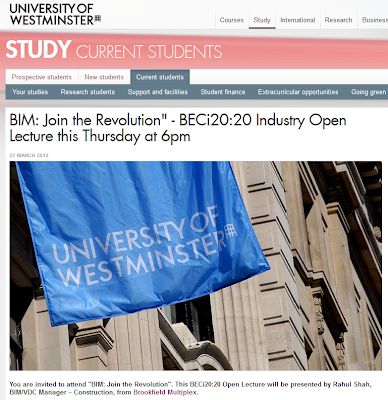
@UniWestminster @UoWBECi Open Lecture on BIM

Recently, I was invited to deliver open lecture on BIM at the University of Westminster. The brief was to start from BIM What, Why, Benefits and then cover where the UK industry is in terms of BIM, role students have to play and some references.


Here is a link to my presentation video. As usual, there is no audio so no need to put on your headphones! Hope you enjoy this and find it somewhat useful for you. 

Disclaimer: The content of this video is not suitable for any person over (x) years of BIM experience. If you fall under this category and ignore this disclaimer and hit the play button then the author does not take any responsibility of loss of...well, your time!


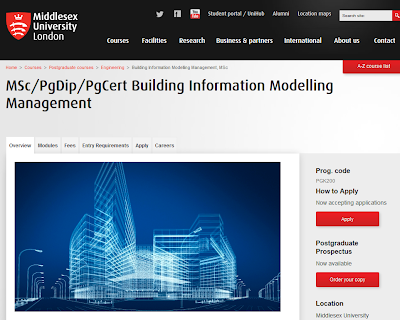
Msc BIM Management

It is official now! No, not just the course itself. Some of you would have already heard about this course (that I am going to mention below) but what is official is "BIM Management" as oppose to "Information Management". Ok, this should be enough to provoke your thoughts on lovely Friday afternoon. 

Middlesex University has launched a brand new course called MSC in BIM Management, starting from Oct2013. It is a part-time distance learning course so you can do this while you are doing your day job of Information Management!-;)

I think this is the first BIM course that focuses mainly on management of BIM whereas other courses out there in the UK are more either mixed bag of BIM/Design Management/Construction Management etc or not touching upon management aspect of BIM at all.


"BIM is a process involving the structured sharing and coordination of digital information about a building project throughout its entire lifecycle, from design through procurement and construction and beyond, into the operation and management stage, all the way through to demolishment.

As a direct response to this industry need, we have developed this course which aims to produce practitioners with a qualification to be BIM enabled in their discipline with a critical awareness of contemporary BIM issues informed by technology, research and management skills in standard and unpredictable scenarios.

Importantly, the course provides practitioners in the property and construction sector, and related stakeholders providing services for it, with a qualification to be employed in a management role in BIM projects. These include technical BIM management positions, operational/administrative BIM management positions, and strategic BIM management positions."


Thursday, 11 April 2013

£20k for Innovative Ideas

No! My BIM friends, this is not for 'BIM' innovative ideas and not for practitioners in the industry. However, I wish someone (you know who I mean from UK perspective) extends this idea to 'BIM' and introduces prize for innovative ideas in BIM adoption. BIM technology is already innovative, well kind of, but what we need to be innovative is in BIM's implementation, engagement at all levels and collaboration. So, the proposed prize for BIM could be called:

"The UK Government's 2016 BIM Prize, looking for innovative ideas from UK students to help the UK Construction industry adopt Level 3 BIM by 70% by 2025"

For now, The mayor of London has launched "The 2013 Mayor's Low Carbon Prize" in partnership with  Seimens for students in London.

"Climate change is the biggest threat to our future and poses a huge challenge for London. That's why we must act now to reduce our emissions and adapt to the changes climate change will bring.

The 2013 Mayor's Low Carbon Prize, in partnership with Siemens, is looking for innovative ideas from London's students to help us slash London's CO2 emissions by 60 per cent by 2025."

Image Courtesy: www.london.gov.uk
 Read full article HERE.


Friday, 5 April 2013

4D BIM Case Study

I have been swamped with so many new/exciting things in my work life since I joined my new employer that I hardly get time to share my BIM thoughts with the community. But the good news is that those busy days are over so you should get regular BIM commentary from me. 

Some exciting stuff is coming (including some Revit BOLT-ONS that I was planning to release in Dec 2012)  but today I am going to start with my last week's BIM experience.

I was fortunate to attend the first ever RICS BIM Conference in Scotland on 26th March 2013. The event was a smaller version of RICS BIM National event held in February 2013 in London but the values/objectives were similar to that of any other UK BIM event; that is to raise awareness, learn from project BIM experiences and build your BIM network in Scotland region.


We presented our 4D BIM case study on the largest hospital project on site in the UK, New South Glasgow Hospital. This BIM case study is one of the many lonely/partial BIM case studies out there where project participants used "Lonely BIM" for their own benefits. The whole day was full of collaborative BIM talks so it was kind of a change! for the audience to see how "Lonely BIM" could benefit on such a large project.

Image Courtesy: http://www.nhsggc.org.uk

Here is the full presentation in a video mode for your reference. Apology for no audio in the movie.
Hope you enjoy and learn something from it. As usual, feel free to drop your comments.